
Originally published on the date shown. Product details, people and offers reflect that publication; contact UBX for current service scope.
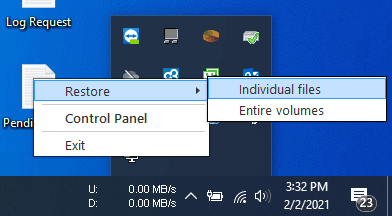
Step 1: Right click on the Veeam agent icon in Taskbar. Click restore > Individual files.
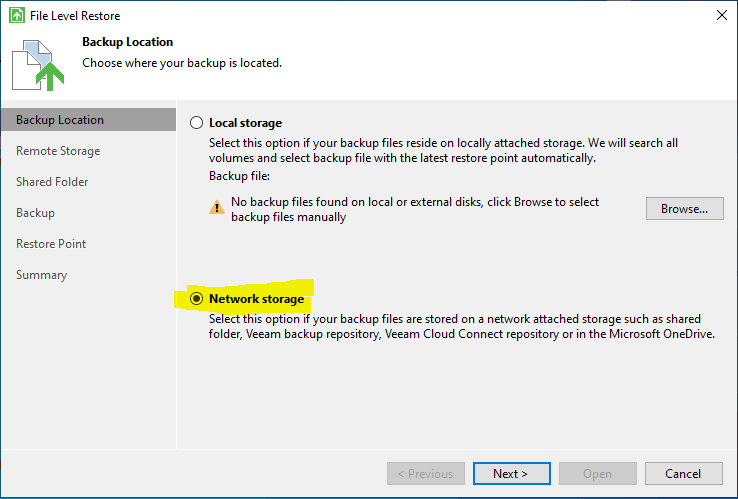
Step 2: Choose Network storage as Backup location and click Next.
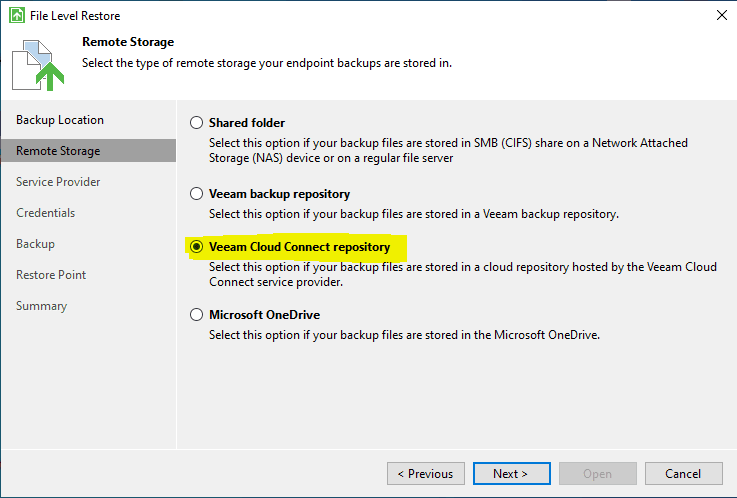
Step 3: Choose Veeam Cloud Connect repository for Remote Storage and click next
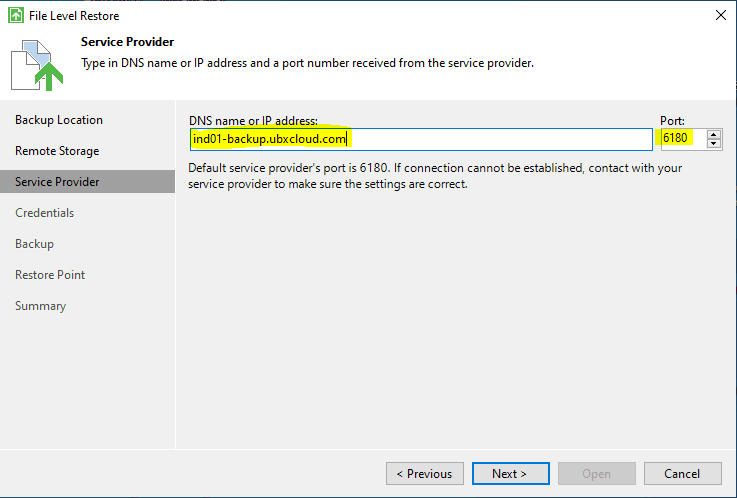
Step 4: Enter the Gateway and port number and click Next.
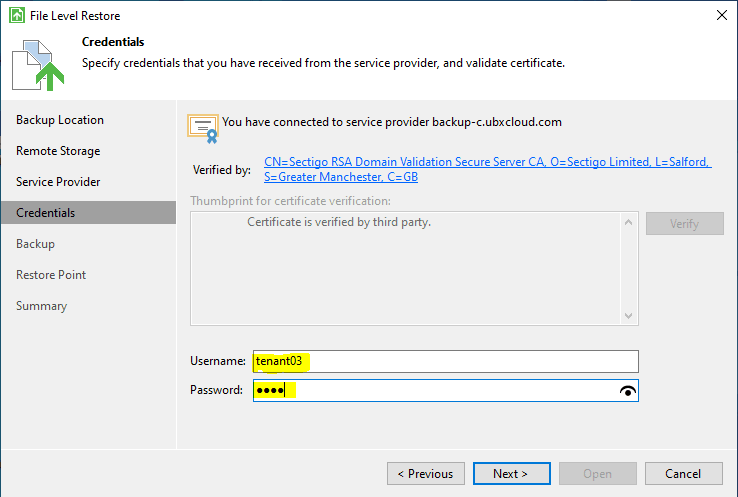
Step 5 : Enter the Credentials received from the Service provider and click Next.
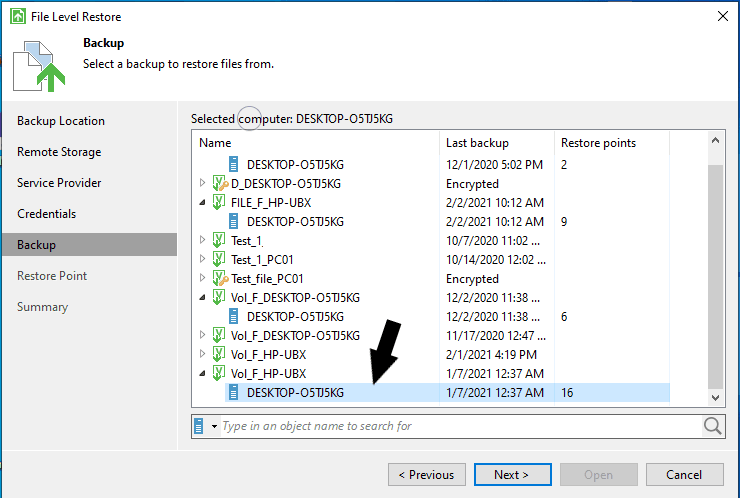
Step 6 : Expand the computer from which you need to restore and click Next.
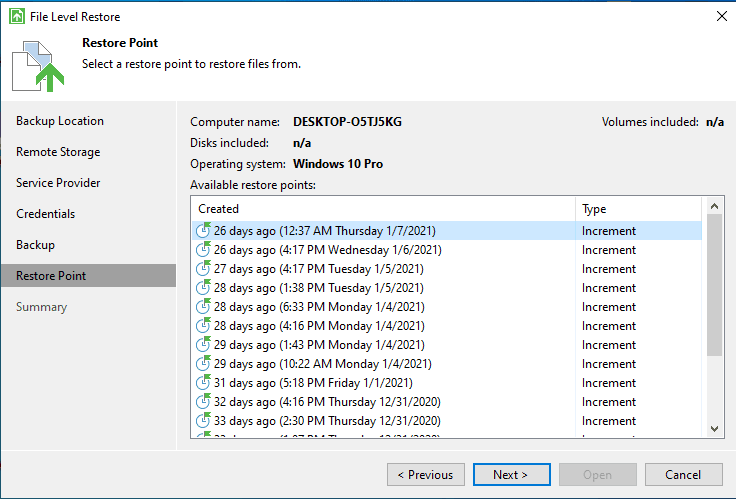
Step 7 : Select the restore point and click next.
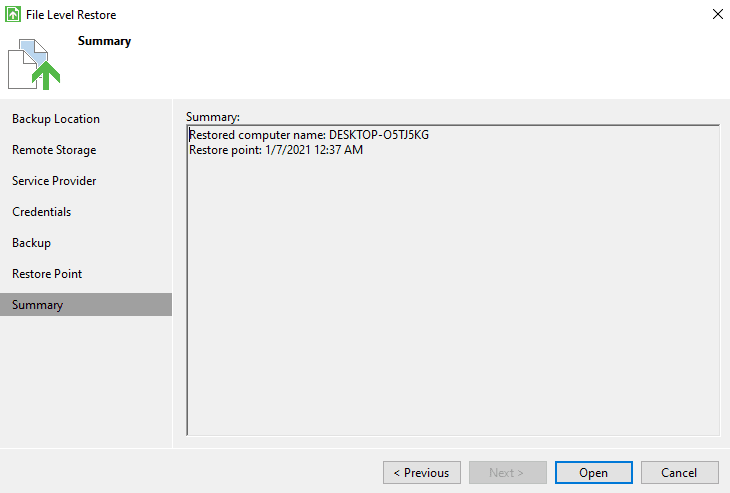
Step 8 : Check the summary and click Open.
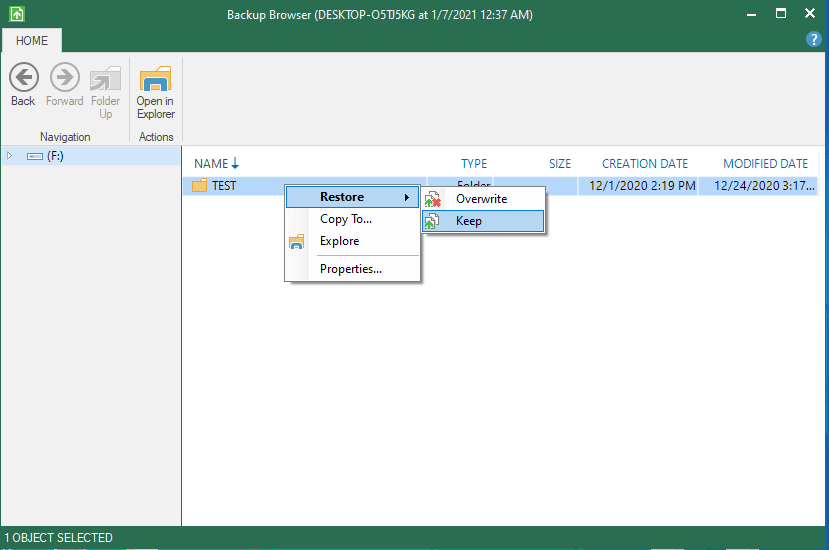
Step 9 : Restore from the Backup Browser opened.