

Originally published on the date shown. Product details, people and offers reflect that publication; contact UBX for current service scope.
Prerequisites
Any S3 Browser and credentials UBX Cloud provided through welcome email.
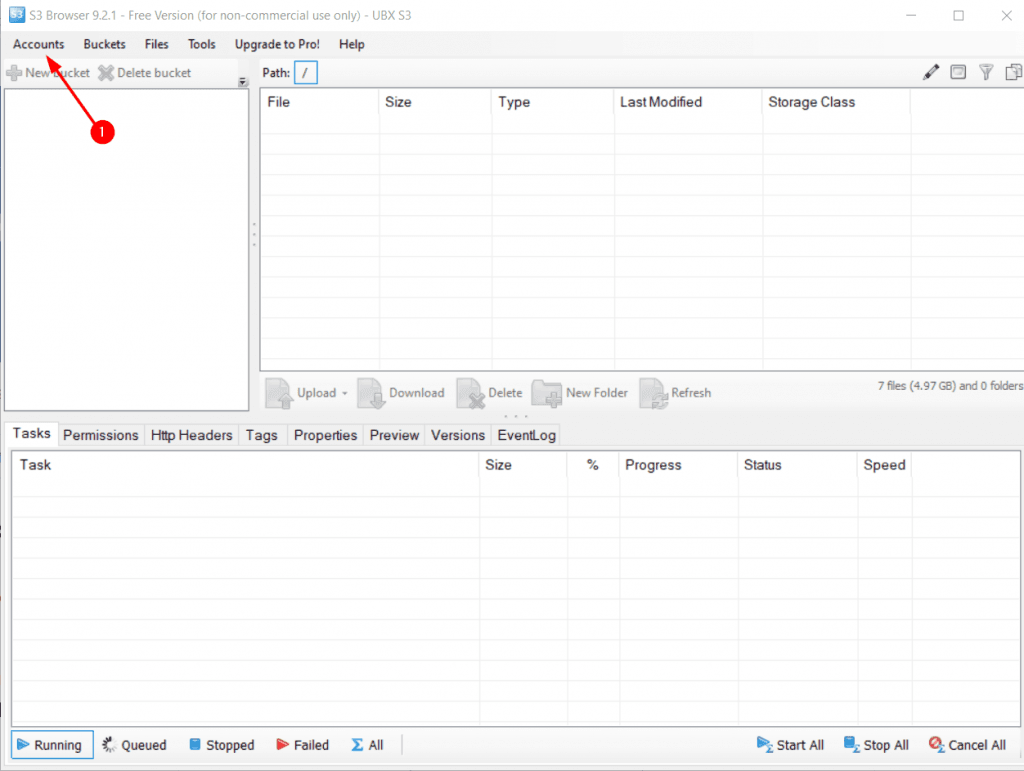
1.Open any S3 browser and click on Accounts on the menu bar.
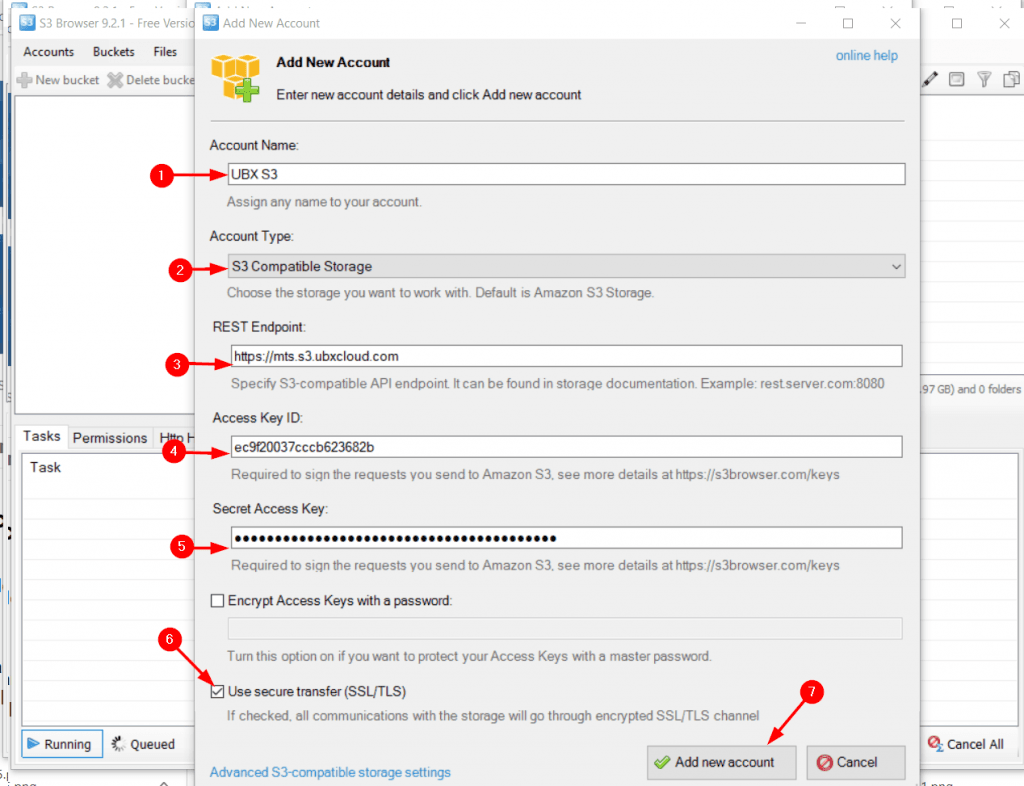
2.Enter the details of the new account that you want to add and click on Add new account.
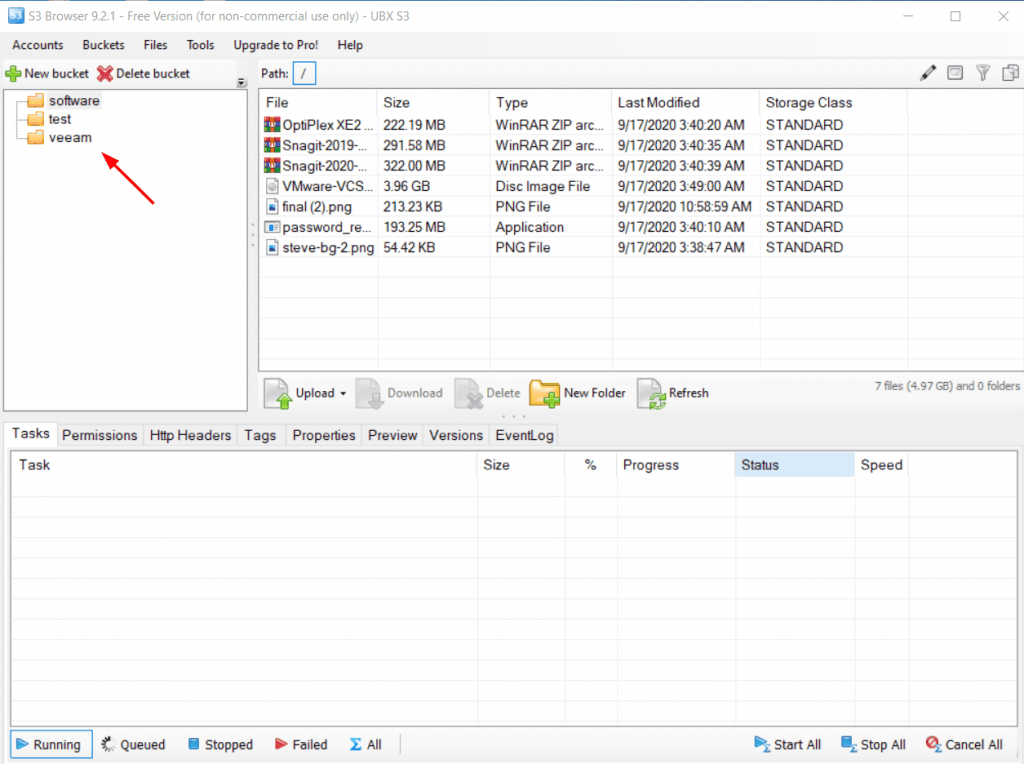
3.You have successfully added the account, you can access the bucket items here.
Conclusion
The steps in this article helped you Access UBX Cloud S3 Bucket With S3 Web Browser.
If you need any further technical support, Please reach out to helpdesk@ubxcloud.com